
How AI Is Transforming Government Contracting and Business Development
Government contract opportunities do not wait for anyone. A solicitation can appear on SAM.gov, a state procurement site, a county portal, a city vendor page, or a commercial bid service while the business development team is already buried in searches, spreadsheets, and proposal deadlines.
That is the problem. The work is important, but much of it is still manual.
Business development teams often spend hours each week checking dozens of sites, copying details into trackers, scanning PDFs, assigning owners, and chasing due dates. Proposal managers then inherit rushed decisions, thin summaries, and repetitive tasks that slow down the response.
Artificial Intelligence and workflow automation are changing that model. For government contractors, AI can help find relevant opportunities faster, sort them by fit, summarize requirements, alert the right people, and support proposal development before the clock runs out.
For organizations ready to modernize, AI for Government Contractors is becoming a practical business development advantage, not a future concept.
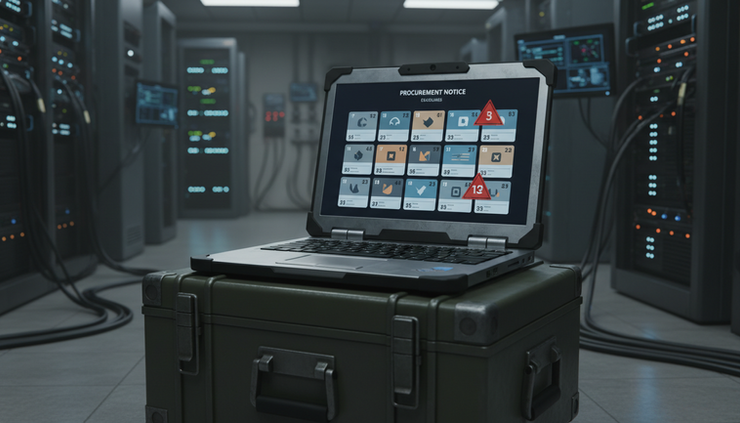
Why Manual Contract Searching Breaks Down
Many contractors begin with a reasonable process. Someone checks SAM.gov. Someone else monitors state procurement websites. Another person reviews local government portals, agency vendor pages, and commercial solicitation websites.
At first, that process feels manageable. As the company grows, it becomes harder to control.
A typical manual search may include:
SAM.gov notices
State procurement portals
County and city bid sites
School district and public authority portals
Utility, transportation, and quasi-government procurement pages
Commercial bid databases
Agency forecast pages
Email alerts from past registrations
Partner or subcontractor leads
Each source uses different terms, formats, categories, and update schedules. Some opportunities are easy to see. Others are buried in attachments, amendments, line items, or agency-specific naming conventions.
The result is a process that depends too much on memory and manual effort.
Opportunities Get Missed
Missing an opportunity does not always mean the team failed to search. Often, it means the opportunity was posted in a place no one checked that day, described with unfamiliar terms, or hidden behind a portal that required extra steps.
A contractor that provides cybersecurity assessment services, for example, might search for “cybersecurity,” but an agency may post the work under:
Risk assessment
Security controls review
Compliance support
Information assurance
System authorization
IT audit services
Manual keyword searches rarely catch every variation. AI can help connect those related terms and intent signals.
Teams Spend Too Much Time Searching
Business development professionals should spend more time shaping strategy, building partner relationships, reviewing win themes, and deciding which bids deserve pursuit.
Instead, many spend hours doing low-value research tasks:
Opening portal after portal
Running the same searches
Downloading documents
Reading long solicitations for basic fit
Updating trackers
Scheduling reminders
Forwarding links to team members
That time adds up quickly. Worse, it often happens before leadership knows whether an opportunity is worth pursuing.
Deadlines Are Tracked Manually
Spreadsheets are common because they are familiar. They also become fragile.
A spreadsheet may track the solicitation number, agency name, due date, questions deadline, site visit date, bid/no-bid decision, owner, and status. That can work for a small pipeline. It becomes risky when amendments change deadlines or when multiple teammates edit different versions.
One missed amendment can cause a late submission, an incomplete response, or a wasted proposal effort.
Proposal Work Starts Too Late
When an opportunity is discovered late, every downstream task becomes compressed.
The proposal team has less time to:
Analyze requirements
Confirm eligibility
Gather past performance
Assign sections
Review compliance
Build pricing inputs
Coordinate subcontractors
Improve the narrative
The response may still get submitted, but quality suffers. AI cannot replace a strong capture and proposal process, but it can give teams more time to do that work well.
How AI Changes Opportunity Discovery
AI works best when it handles repetitive pattern-based work and sends people better information sooner. Government contract discovery is a strong fit because the process involves large amounts of public data, recurring document types, deadlines, eligibility rules, and repeated review steps.

AI Can Monitor Procurement Websites Automatically
An AI-enabled opportunity system can watch multiple procurement sources on a set schedule. Instead of relying on a person to visit every site, automated workflows can check for new or changed notices.
For example, a contractor may configure monitoring for:
Specific NAICS codes
Product and service keywords
Agency names
Geographic regions
Set-aside types
Contract vehicles
Incumbent-related language
Relevant technical terms
Amendment updates
This is where procurement automation becomes valuable. The system can collect new listings, identify changes, and route possible matches to the right team.
A practical setup might check SAM.gov, selected state portals, and commercial sources every morning, then send a ranked summary to business development leads before the workday begins.
AI Can Match Opportunities to Company Capabilities
Keyword alerts are useful, but they are limited. A company that specializes in cloud migration, cybersecurity, software development, and systems integration may miss a notice if the agency describes the work in a different way.
AI can compare solicitation language against a company capability profile. That profile may include:
Core services
Past performance areas
Certifications
Contract vehicles
Technology partners
Geographic reach
Agency experience
Size standards and set-aside eligibility
Preferred project sizes
Exclusions and no-bid criteria
For example, if a solicitation asks for “migration of legacy applications to a FedRAMP-authorized cloud environment,” the system can recognize a match with cloud modernization, software development, security controls, and systems integration experience.
That is more useful than a keyword hit. It helps teams understand why an opportunity may fit.
AI Can Prioritize Solicitations
Not every opportunity should become a pursuit. In fact, chasing too many poor-fit solicitations can weaken the whole pipeline.
AI can help score opportunities using criteria that leadership already cares about:
Technical fit
Past performance alignment
Revenue potential
Contract type
Customer familiarity
Competition level
Time to respond
Proposal complexity
Required partners
Strategic value
The score should not make the decision by itself. It should support a faster and better bid/no-bid conversation.
A simple scoring model might flag an opportunity as a strong fit because it matches three past projects, falls within the preferred contract value range, and allows enough time for a complete proposal. Another notice might be flagged as low priority because the response is due in two days and the requirements point to an unrelated specialty.
How Workflow Automation Supports the Proposal Process
Finding the opportunity is only the first step. The bigger value comes when AI discovery connects to workflow automation and proposal management.
That means the system does not just say, “Here is a bid.” It helps move the work forward.

AI Can Generate Clear Summaries
Solicitations are often long, dense, and full of attachments. AI can create summaries that help teams understand the basics quickly.
A useful summary may include:
Agency and office
Scope of work
Submission deadline
Questions deadline
Set-aside status
Required certifications
Key evaluation factors
Contract type
Required attachments
Potential risks
Recommended next steps
This does not remove the need for human review. Proposal teams still need to read the solicitation and confirm compliance. The benefit is speed. A strong summary helps the team decide what deserves attention right now.
Notifications Can Reach the Right People
Automated notifications reduce the chance that an opportunity sits unnoticed in an inbox.
Depending on the workflow, alerts can be sent through:
Email
Microsoft Teams
CRM tasks
SharePoint lists
Planner or project tools
Power Automate workflows
Custom dashboards
For example, a cloud services lead can receive notices related to Azure migration, while a cybersecurity lead receives alerts for CMMC readiness, penetration testing, and security assessment work. Executives can receive only high-priority opportunities that meet bid thresholds.
That keeps noise down and improves response time.
Proposal Quality Can Improve
AI can support proposal teams in several practical ways:
Create first-pass compliance matrices
Extract requirements from solicitation documents
Identify mandatory forms and attachments
Draft outline sections based on instructions
Compare proposal language against evaluation criteria
Suggest gaps in past performance examples
Reuse approved content from a controlled knowledge base
Check readability and consistency
Human judgment remains essential. AI-generated content should be reviewed, edited, and aligned with the strategy. But when the repetitive work is reduced, proposal managers can focus on the work that wins: compliance, clarity, differentiation, and customer understanding.
Repetitive Tasks Can Be Automated
Many proposal tasks are repeated for every pursuit. Automation can help handle them with fewer handoffs.
Examples include:
Creating a pursuit record
Assigning review tasks
Building a folder structure
Saving solicitation documents
Setting deadline reminders
Logging amendments
Sending status updates
Updating CRM stages
Creating draft kickoff materials
These small steps matter. When teams respond to multiple solicitations at once, repeated manual work creates delays and errors.
A connected workflow makes the process more predictable.
Why Microsoft Copilot and Power Platform Matter
Many organizations already work inside Microsoft 365. That makes Microsoft Copilot and Power Platform natural tools for AI-enabled business development workflows.
Microsoft Copilot can help users work with content across Microsoft apps, while Power Platform can connect data, tasks, forms, approvals, and notifications. Together, they can support practical business development processes without forcing every workflow into a separate tool.
Possible use cases include:
A Power Automate flow that checks opportunity sources and sends Teams alerts
A SharePoint list that tracks bid status and deadline changes
A Power App for bid/no-bid review
A Power BI dashboard that shows pipeline health
Copilot-assisted summaries of solicitation documents
Automated task creation for capture and proposal teams
CRM updates when an opportunity moves to pursuit
This type of setup supports government contract automation AI proposal management government contracting software business development automation procurement automation AI business automation SAM.gov automation AI workflow automation Microsoft Copilot for business Power Automate consulting proposal automation government procurement technology AI opportunity discovery intelligent business automation in a way that fits how many teams already work.
The best systems meet the team where the work already happens.
CRM Integration Turns Leads Into a Managed Pipeline
Opportunity discovery should connect to customer relationship management. If it does not, teams risk creating a second disconnected process.
CRM integration helps connect a solicitation to:
Agency contacts
Past conversations
Incumbent knowledge
Partner discussions
Capture plans
Bid history
Pursuit stages
Proposal assignments
Revenue forecasts
For example, when an AI workflow identifies a strong-fit opportunity, it can create or update a CRM record, attach the solicitation summary, assign a capture owner, and set the next action. If leadership decides not to bid, the reason can be logged for future analysis.
Over time, this creates better data. Teams can see which agencies generate the best fit, which keywords produce noise, which proposal types strain resources, and which decisions lead to wins.
What a Practical AI-Enabled Process Looks Like
A useful system does not need to begin as a massive project. Many contractors start with a focused workflow and expand from there.
Here is a practical example.
A government contractor provides cloud modernization, cybersecurity, and application development services nationwide. The business development team wants to reduce manual search time and improve response speed.
A modernized workflow could work like this:
Automated monitoring runs each morning
The system checks selected procurement sources for new notices and amendments.
AI compares notices to a capability profile
The workflow reviews keywords, scope language, agency fit, set-aside status, and technical requirements.
The system ranks likely matches
High-fit opportunities are separated from low-fit or unrelated notices.
Summaries are generated
Each high-fit notice receives a plain-language summary with deadlines, requirements, and risks.
Notifications go to the right owners
Business development leads, practice leads, and proposal managers receive alerts based on role and topic.
CRM records are created or updated
The opportunity is added to the pipeline with tasks, dates, and source documents.
Proposal workflows begin
If the team chooses to pursue, templates, compliance checklists, and assignments are created automatically.
This approach gives leaders better visibility and gives proposal teams more time.

How Applied Future Technologies Helps
Applied Future Technologies brings nearly 30 years of experience helping government and commercial organizations modernize business processes through AI, automation, cloud technologies, cybersecurity, software development, and systems integration.
That experience matters because government contracting workflows touch many systems and stakeholders. A useful solution may need to connect procurement data, Microsoft 365, Power Platform, CRM systems, document repositories, security controls, and custom applications.
Applied Future Technologies can help organizations:
Assess current business development and proposal workflows
Identify where manual work slows the team
Build AI-assisted opportunity discovery processes
Connect automation with Microsoft Copilot and Power Platform
Integrate procurement workflows with CRM systems
Create secure document and data handling practices
Develop custom software when off-the-shelf tools are not enough
Support cloud, cybersecurity, and systems integration needs
The goal is simple: help teams find better opportunities sooner and respond with more confidence.
Key Considerations Before Using AI in Business Development
AI can improve speed and consistency, but it should be introduced with care.
Successful teams define clear rules for:
Which sources to monitor
Which terms and capabilities matter
Who reviews AI summaries
What data can be used
How proposal content is approved
Where records are stored
How security and access are managed
When human review is required
For government contractors, security and accuracy are especially important. AI should support the team, not create uncontrolled content or expose sensitive information.
A strong implementation includes human review, permission controls, audit trails, and clear ownership.
Frequently Asked Questions
Can AI search SAM.gov and other procurement sites automatically?
Yes, AI and automation tools can be configured to monitor SAM.gov and other approved procurement sources for new opportunities, updates, and amendments. The exact setup depends on the source, access method, and business rules.
Will AI replace business development or proposal teams?
No. AI handles repetitive research, sorting, summarizing, and workflow tasks. People still make pursuit decisions, shape strategy, manage customer relationships, review compliance, and write final proposal content.
How can AI help prevent missed deadlines?
Automated workflows can extract key dates, monitor amendments, send reminders, and create tasks in tools such as Microsoft Teams, SharePoint, Planner, CRM systems, or Power Platform apps.
Can AI connect with our existing CRM?
Yes. AI-enabled workflows can integrate with many CRM systems to create opportunity records, update stages, assign owners, attach summaries, and track bid/no-bid decisions.
Where should a contractor start?
Start with one high-value workflow, such as automated opportunity monitoring and summary alerts. Once that process works, expand into CRM integration, bid/no-bid workflows, and proposal task automation.
Schedule a Discovery Call With Applied Future Technologies
Manual searching, spreadsheet tracking, and rushed proposal starts make government contracting harder than it needs to be. AI and workflow automation can help teams catch more relevant opportunities, prioritize the right pursuits, and give proposal managers more time to produce stronger responses.
Applied Future Technologies helps organizations turn that idea into a working system, with the technical experience to connect AI, automation, Microsoft technologies, CRM platforms, cloud systems, cybersecurity practices, and custom software.
If your team is ready to reduce manual contract searching and improve business development operations, schedule a discovery call with Applied Future Technologies. The right workflow can help your team stop chasing scattered notices and start managing opportunities with clarity.


Comments